Click the image below to see my new album. This book was created using the 12 x 12 Fabulous Outdoors predesigned pages. At the back of the book are some other pages that were created using Storybook Creator Plus.


We’ve moved!
4 years ago


Click the image below to see my new album. This book was created using the 12 x 12 Fabulous Outdoors predesigned pages. At the back of the book are some other pages that were created using Storybook Creator Plus.
Due to circumstances beyond my control, I am no longer able to share the templates that I make or any other freebies with you, due to the consultant agreement with CM.
As you know, I love to teach StoryBook, sbcStudio and Memory Manager to help you learn the wonderful things you can do to get your photos into your lives. I am still here to answer your questions and love to hear from my viewes. My email is bobsiglow@msn.com. I am more than willing to help anyone with questions you may have about the software.
There is a webinar that teaches you how to make your own template and it is called How to make a template (click on link). I will still be able to provide instruction pages and webinars. It is really easy to make the templates so give it a try.
Want to search this blog? There is a search feature on this blog on the right side. When you type in a word, phrase or webinar title, it will bring up the choices for you and you can then click the link and be taken directly to that topic.
Cathie Owens
This page was inspired by Shelley Alexander of Australia. She posted this page on Pixels2Pages.net and I loved it so much that scrap lifted the page.
These pictures were taken when I went to visit the grandkids and kids this April. I had such an enjoyable time and the kids loved me too. Oh the life of a Gamoo it is GREAT!!! We went to Meyer Gardens, Mc Donalds, played pillow fights, cooked and did scrapbooking projects.
The paper and embellishments are from the Garden Tranquility Digital Kit.
Do you want to learn how to share a template you have created. Here is a webinar to teach you the basics and how to do the job. This webinar is a repost, but it is now on YouTube and you won’t have to wait for the download.

Here is a direct link so you can make the webinar go full screen.
http://www.youtube.com/user/chattycathie52#p/a/u/0/r4dtOzS_URQ
Do you want to know how to make templates with StoryBook Creator Plus? I have even used this with sbcStudio to make templates on my Mac. Well this is a repost of a downloadable webinar, but was converted to YouTube. Now you will not have to wait for the download. Please let me know if you have any problems viewing this, as it is the first time I have tried this.
Here is your YouTube webinar.
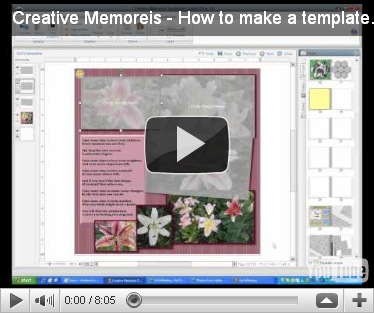
If you use the link you will be able to see the webinar in full screen. The picture link does not allow you to view full screen. So I suggest you use the link.
Here is a template to enjoy and have fun with. Thanks to Bonnie for sending me the screen shot of this idea.
Update on where this template came from: “This was a design that was inspired by Janet from Facebook. She was at the hairdresser and saw a piece of wrought iron artwork. Took a photo of it and emailed it to me. Who would have thought of making this as a template. Her and I put our heads together and came up with this template.
It is a good lesson for all of us scrapbookers to look our around for ideas for page designs.” This is on Brenda’s blog http://scrapitdigi.blogspot.com/2011/02/wrought.html
The paper for this page is from the Fabulous Digital Content Collection.
A friend of mine gave me the idea for these two templates. Thanks Bonnie!! The paper used for these pages is the Rugged Baby Boy PO5, the embellishments are from Cheerful Spring Digital Additions.
A lot of my friends locally are doing a photo a day, and some are doing a page a day. The P2P team has also challenged us to do the same and post our pages on the Facebook group under the Day2Day tab.
So I took on the challenge, and have really enjoyed taking pictures every day. When I get to the end of the day and remember sometimes “Oh No, I have not taken a picture today” it is time to freak out and grab the camera! I do not want to miss a day. They always say it takes 21 days to make a habit.
So I have created a bunch of pages that I will be using 7 photos on for a complete week. Then some are doing these full month calendars and I thought why not try it. So here is my version. Use the opposite page to do your journaling.

The paper used is the Winter Solstice, the embellishments are Winter Digital appreciation kit. For the title use your favorite font and make it big. On my font I used the 3-D feature and added a heavy shadow.
WEBINAR!!!!
Have you ever wondered how to make a template? Do you find some pages that you really wish you could have a copy of that page? Well here is your simple answer on how to copy/make your own templates. This webinar is only 8 minutes long and will teach you how to make your own templates.

Click this page to watch the webinar.
.

The kit used for this page is Candy Cane Digital Kit for the background paper and the second background paper. The embellishments are from the Cheerful Christmas Digital kit. Fonts for the corner text boxes is Christmas Card, the text path and bottom center text is Andy
Wishing you and yours the Merriest of Christmases. May you have a joyful season and remember to take lots of pictures and document your holidays. Get those photos off your computers and cameras and printed and into your lives.
I made a book for my grandson after he came for a visit. He loves that book and it is always his goodnight story book. When I went for a visit in October, he told me “Gamoo made for me” he is 2 1/2 years old and loves his story book by Gamoo. That is just one example why we must record and print those precious memories.
Merry Christmas
As everyone is getting ready for the Christmas season and shopping all the shops. This page was made using the Reminisce Christmas kit. The word art is from the Jewel Christmas Digital kit.
Welcome to the Christmas season! I have been busy making lots of fun cards and thought it would be fun to share with you some of the ones I have had fun with. These are 4x6 portrait.
For this card I used the Reminisce Christmas & Reminisce Digital power palette for the papers, embellishment and ribbon. The overlay is from the Digital Christmas Overlay8.

The other card that is really a lot of fun, is the View Master Card that is on www.pixels2pages.net. Watch that webinar and create a whole new bunch of cards. Click this link to take you directly to the webinar.
This is a sample of my view master cards.
Welcome to the busy holiday season and to celebrate
The digital kit used for this page was the Hummingbird collections.

If you want to learn how to make the plaid paper, head on over to www.pixels2pages.net and you can learn how to make the plaid and a whole lot more. Hope you enjoy this template.
The kit used for this page is from Cottage Garden Digital Kit.
Paper is paper14 and all the embellishments are from the same kit. Text box font is Andy 14

With this page I selected a dark brown color and added the grass texture to the whole page. Then I added the Cheerful Digital Overlay1, the text box it Andy 14.
To get the soft edges, put your photos into the photo boxes, make sure they are the way you want them to be and then flatten each one. On the Format ribbon, select Filters and choose Soften edge. I used 57 for the number on the soft edge. You can use the slider to adjust and make more softness if you like.
Sometimes you just want to have a full page with a beautiful photo you took. Well, here are a couple of pages for you to get ideas from. You might even use the photo boxes as a text box to tell your story. These are 12x12 pages. Enjoy!!
These are 12 x 12 in size. Paper used is the What a View Digital kit P8, Title font is Fancy Alpha Set and text box font is Andy 14

This page with the deer was suppose to be the second part of a two page spread with the first one above.
Paper was What a View P18, Text box is Andy 14
What makes a beautiful sunset, one might ask. I think it takes clouds, storms and the right timing. Here is a two page spread for you to enjoy.
Paper is from Explore Canada Digital kit 04
Embellishment is from What a View Digital Kit
Text is DJ Script 14


